




Featured by Vibed · Education
MapRounds
Practice countries, capitals and flags with free geography quizzes. Learn maps and review missed answers without signing up.
Explore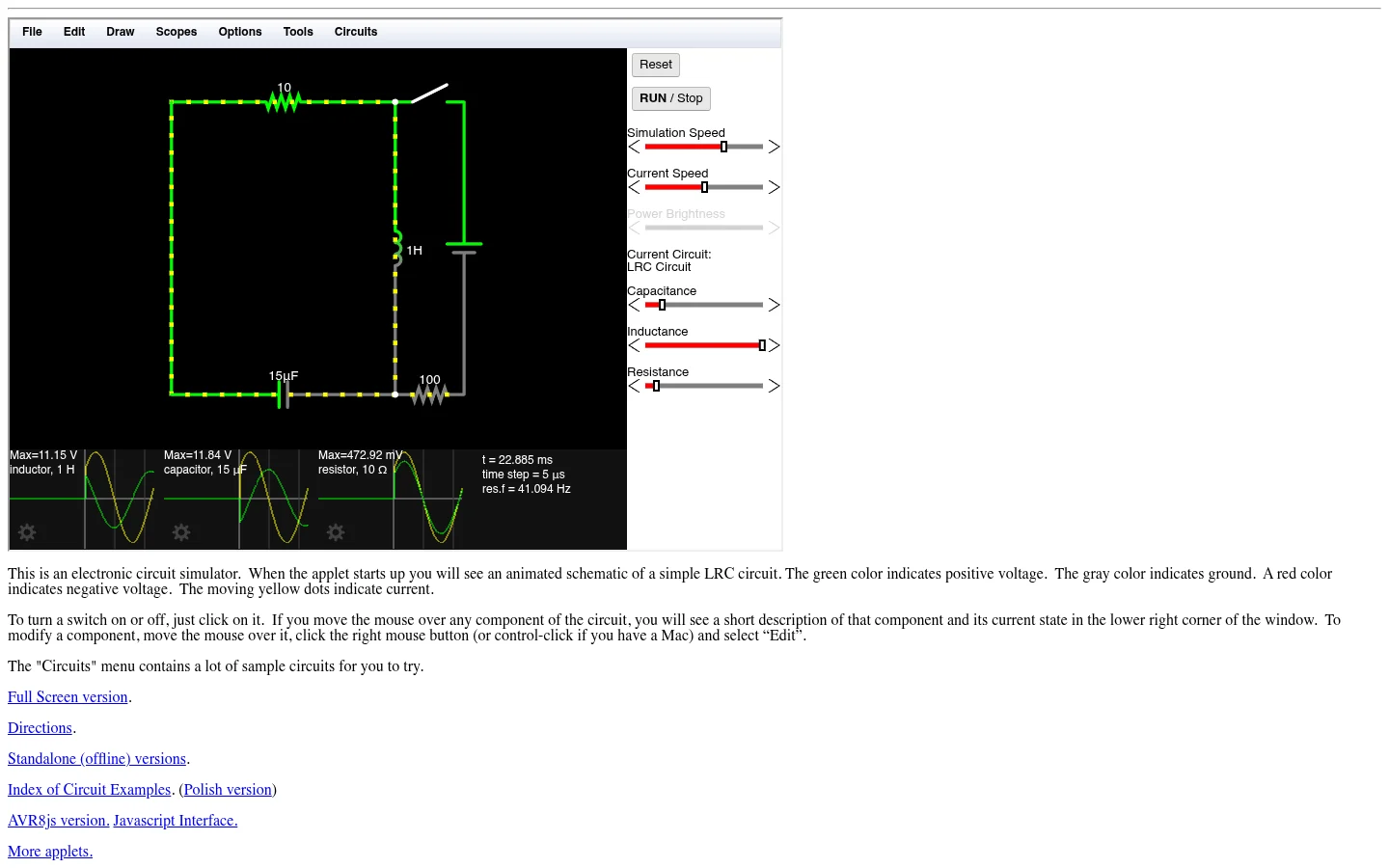
Build and watch electronic circuits run.
Runs right here. No download.
Create custom electronic circuits by placing and connecting components in the simulator interface.
Watch current move through circuits as animated yellow dots in real time.
See voltages represented as colors: green for positive, gray for ground, and red for negative.
Access many example circuits from the Circuits menu to learn how different designs work.
Open the applet to view an animated schematic with a simple example circuit.
Click switches to turn them on or off, and hover over components to see their descriptions and current state.
Right-click on any component and select Edit to modify it and test your design changes.
Checked by Vibed
Share your experience with Falstad Circuit Simulator
Sign in to leave a reviewGreen indicates positive voltage, gray indicates ground, and red indicates negative voltage.
Simply click on a switch to turn it on or off.
Yes, move your mouse over a component, right-click (or control-click on Mac), and select Edit to modify it.
Practice countries, capitals and flags with free geography quizzes. Learn maps and review missed answers without signing up.
ExploreLesson Dino is an AI lesson planner for teachers. Pick a subject, year group and topic to get a lesson plan, slides, vid
Explore
Make a Bible reading schedule for the weekdays and chapter pace you choose.
Explore